


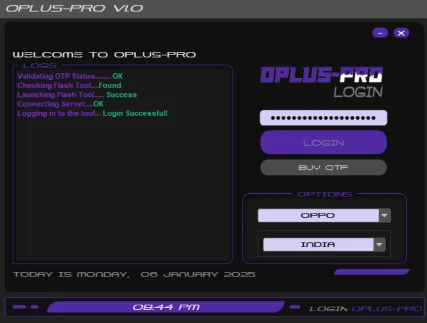
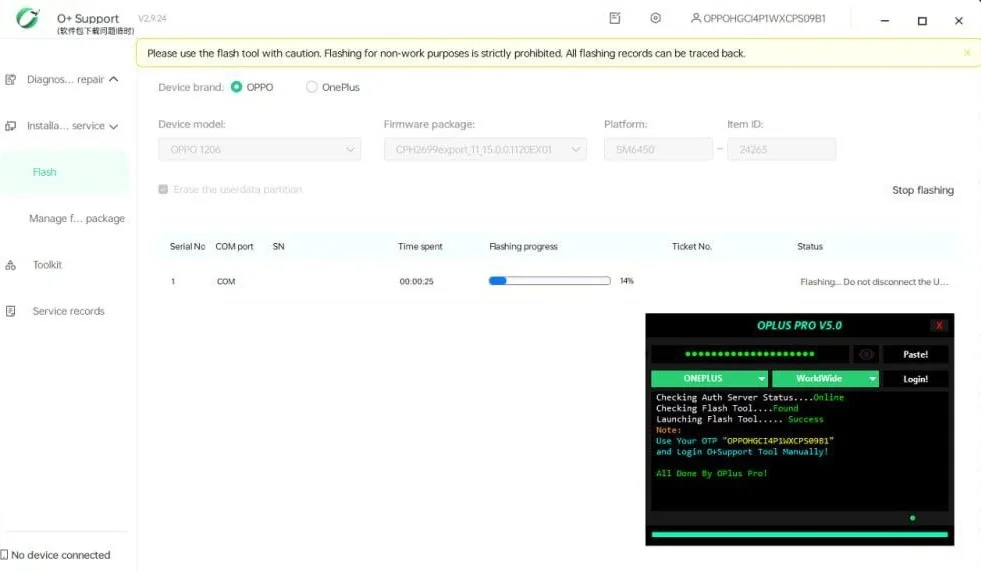
OPlusPro Login is a professional login tool designed for quick access to official firmware utilities for Realme, OnePlus and OPPO devices. This universal bootloader provides technicians with a full range of proprietary utilities for diagnosing, restoring and updating the software of smartphones of specified brands.
Security is ensured by a system of one-time passwords (OTP), generated individually for each work session. The password validity period is limited to one firmware cycle, which guarantees protection against unauthorized use. OPlusPro Login will become an indispensable assistant for service centers and technicians.
Process of using OPlus Pro V3.0:
Step 1: Prepare a one-time password (OTP) for the desired service.
Step 2: Download the latest version of O Support Tool.
Step 3: Open OPlus Pro v3.0 from the folder, enter the one-time password (OTP).
Step 4: Click the “Login” button and wait for the Flash Tool to open.
Step 5: Once opened, use your One Time Password (OTP) as your username and password.
Step 6: Check the port and upload the firmware to Flash Tool.
Step 7: Check the model, PCB and product code in Flash Tool.
Step 8: If the PCB and product code match, enable NV Default.
Step 9: Check the connection port. If the port is working, click Start.
Step 10: Once connected, do not touch the device - wait for successful completion.
Step 11: If the connection is disconnected after successful authentication, no refund will be issued.
All offline server systems expire only 6 times.
1: After successful authentication
2: Error 080221 occurs due to incorrect firmware and authentication error
3: Wrong PCB file - instant loss of OTP
4: Disabling during the firmware process
5: Invalid NV by default not checked - instant loss.
6: CMD: Check
If you have not checked the default NV checkbox and matched the PCB code with the product code displayed in the o tool, you will instantly lose your OTP. We strongly recommend that you do not issue any refunds. Be careful and use with caution.
Every authentication is important - use it securely.
Additional information
https://opluspro.net - official website of the program
Each firmware authorization uses a one-time code (OTP). You do not need to register in the program, you will receive a code (OTP) after payment.
We are not responsible for your actions and the status of the program server.
Similar
-
XIAOMI MULTI AUTH TOOL (XMT)
$ 3.1 Select options This product has several variations. Options can be selected on the product page. -

FCK AUTH TOOL
$ 1.05 Select options This product has several variations. Options can be selected on the product page. -

FRP BOSS TOOL
$ 1.2 Select options This product has several variations. Options can be selected on the product page. -

SOUL AUTH TOOL
$ 6.45 Select options This product has several variations. Options can be selected on the product page.