

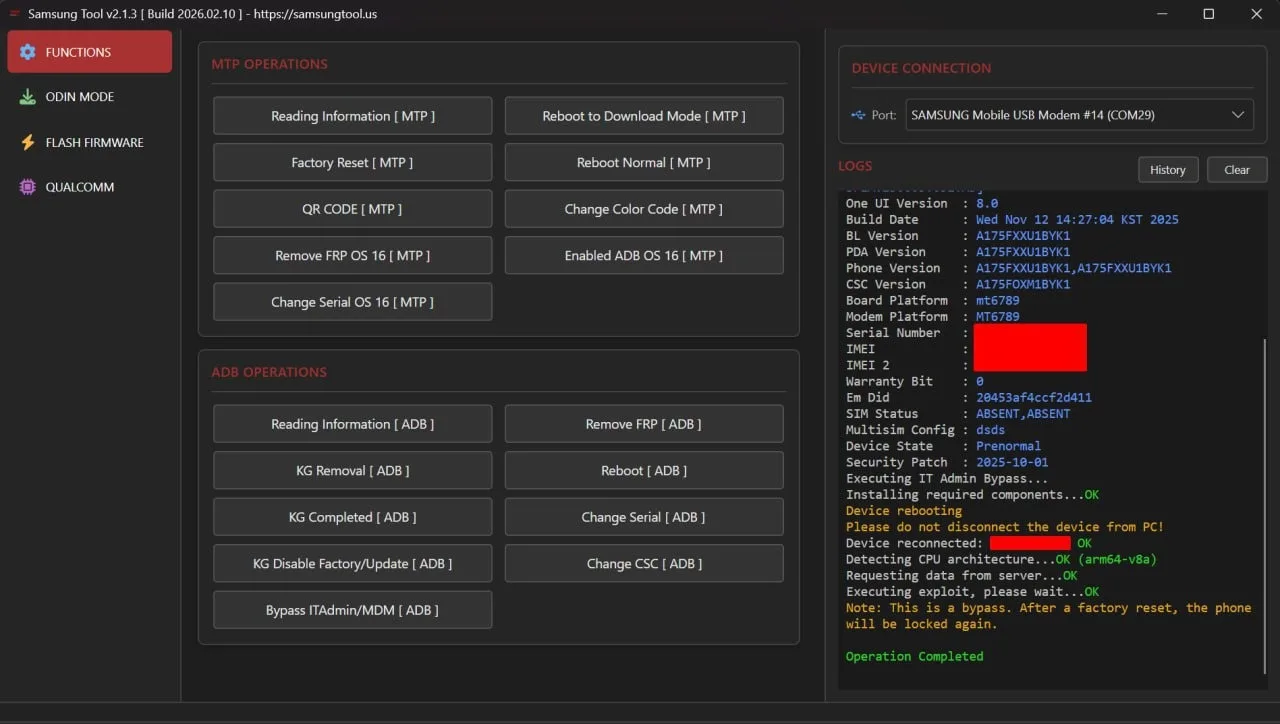
The Samsung Tool program is designed to bypass Knox Guard (KG Lock) on Samsung devices. The solution works at the software level without affecting the hardware, and allows you to completely hide all Knox Guard notifications and restrictions, returning the device to normal operation.
Main functionality:
- Stable bypass of KG Lock with the exception of re-locking after resetting the settings. Performing a factory reset does not reactivate the protection.
- Easy to use: the procedure is completed in a few clicks and does not require deep technical knowledge.
- Support for Samsung models on the Qualcomm platform from 2025–2026, as well as more than 300 models with current bootloaders. Galaxy A, M, S, Z and Tab series with Android versions 10–16 are covered.
- Full set of service operations: flashing, erasing, backup, factory reset, removing FRP, removing lost mode, removing “Please Call Me” message, handling MDM boot errors, changing serial number, backing up and clearing EFS, reading GPT and device information.
- Removing blocking of third-party services: PayJoy Lock, Device Control Lock, Offline Lock. Patches are applied to selected devices until January 2026.
- Advanced capabilities of Odin, MTP and ADB: direct download of ZIP archives in the Odin protocol without preliminary unpacking, change of CSC and serial number via MTP/ADB. Support for patches August–September 2025.
- Bypassing MDM and IT administrator registration: disabling management policies, removing Device Managed / Admin Locks after a reset. Support is valid for selected devices in 2025–2026.
- Startup procedure: The initial Hello screen activates scanning a QR code to enable ADB debugging, after which the tool performs a bypass via USB connection, followed by a reboot, data reset and normal device setup.
Work features:
- Bypass is implemented, and not irreversible removal of blocking from Samsung servers.
- To maintain stability, it is not recommended to install OTA system updates after bypass.
- If KG Lock reappears after a factory reset, it is enough to repeat the procedure from the first step - repeating in most cases corrects the situation.
- All operations are carried out using software methods, without interfering with the hardware of the device.
Additional information
https://samsungtool.us - official website of the program
https://youtu.be/PLNWVMRk-MU?si=Mrq9UX8bezshVFdV — complete instructions for using the program
https://t.me/ UokMBkvsB0xPt4V1 - official program support
To activate a license or top up your balance, you need to register in the program.
Before paying for the order, please indicate your registered Email and Login.
We are not responsible for your actions and for the status of the program server.
Similar
-

HYDRA TOOL
$ 10.3 100Price range: $ 10.3 – $ 100 Select options This product has several variations. Options can be selected on the product page. -

UNI ANDROID TOOL (UAT)
$ 11.3 66Price range: $ 11.3 – $ 66 Select options This product has several variations. Options can be selected on the product page. -

OCTOPLUS
$ 25.65 143.7Price range: $ 25.65 – $ 143.7 Select options This product has several variations. Options can be selected on the product page. -

EME MOBILE TOOL (EMT)
$ 14.1 53.7Price range: $ 14.1 – $ 53.7 Select options This product has several variations. Options can be selected on the product page.