


HONOR Google Account (FRP) unlock
$ 33.95 53.4Price range: $ 33.95 – $ 53.4
Obtaining a unique authorization code to remove factory protection (FRP Lock) through the service program using the device serial number.
Step by step procedure:
1. Determining the serial number and region:
• In the service program, by connecting the phone in Fastboot mode, the serial number (SN) is read through the “Read Fastboot Info” button.
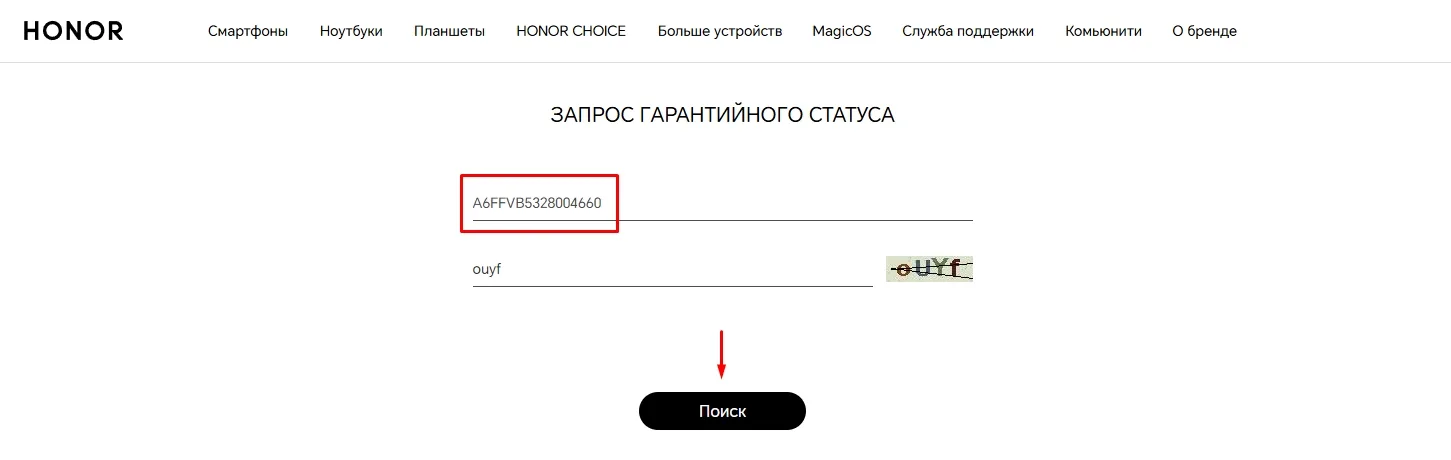
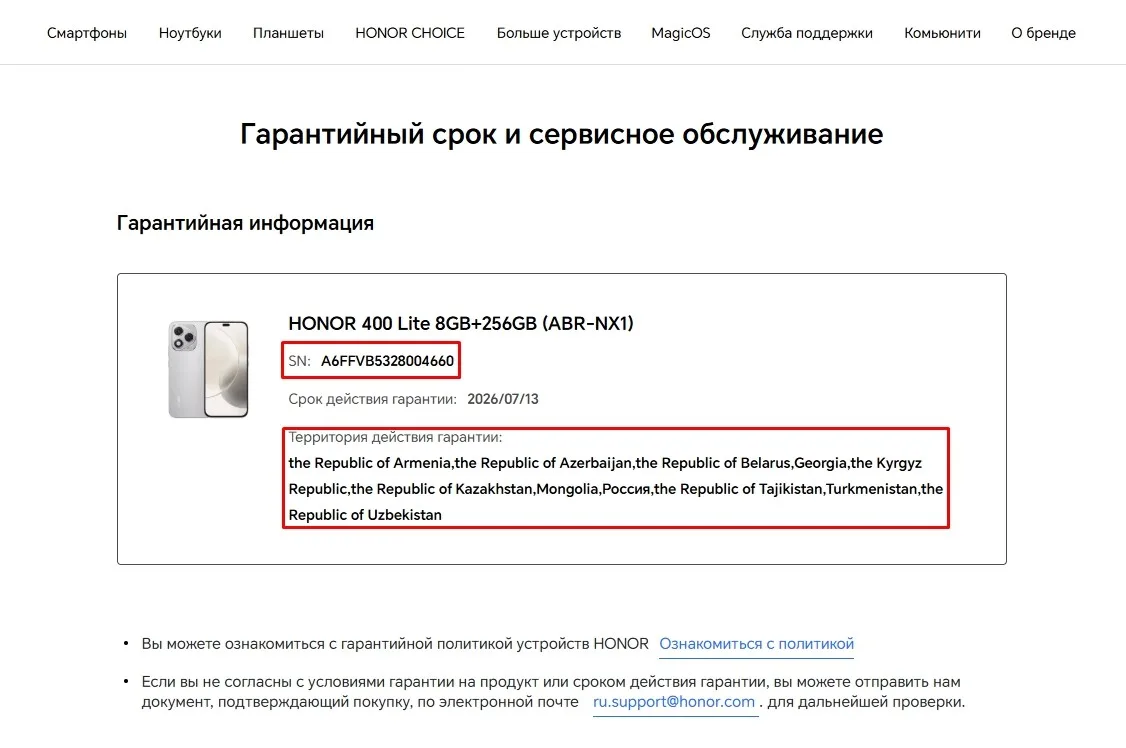
• This serial number is checked on Honor's official website to confirm the model and, critically, the country of sale (region) of the device. This is necessary for correct code calculation. You can also order the service Checking Android devices by IMEI / SN
2. Obtaining an authorization code:
• Based on the serial number and region data, a unique Authorization Code is purchased.
3. Unlocking:
• In the program, in the appropriate field, enter the received code and click “Erase FRP By Code”
Result: After successful completion of the procedure, the Google account (FRP) will be completely removed from the device, which will allow you to set it up again and log in to any account.
Additional information
https://www.honor.com/eurasia/support/warranty-query - a site for confirming the model and country of sale of the device. This is necessary for correct code calculation.
The device must be reset to factory settings (Factory Reset) and be on the FRP lock screen (requires an old Google Account, do not confuse with Huawei ID). Without this, unlocking is impossible.
https://disk.yandex.ru/d/af6oziiK2BpZQw - a special program for reading the serial number (SN) in Fastboot mode and then entering the unlock code when the service is ready.
https://disk.yandex.ru/d/AozXYNiJyXt4Hw - necessary drivers for connecting in Fastboot mode.
The user is fully responsible for his/her actions.
Similar
-

HalabTech Firmware Packs
$ 6.55 115.15Price range: $ 6.55 – $ 115.15 Select options This product has several variations. Options can be selected on the product page. -
iCloud / Passcode / MDM bypass — iPhone / iPad / Apple Watch / MacBook
$ 1.1 306.85Price range: $ 1.1 – $ 306.85 Select options This product has several variations. Options can be selected on the product page. -
Mi Account Xiaomi / Poco unlock
$ 2.65 252.8Price range: $ 2.65 – $ 252.8 Select options This product has several variations. Options can be selected on the product page. -

Telegram Stars / Premium
$ 1.2 36.8Price range: $ 1.2 – $ 36.8 Select options This product has several variations. Options can be selected on the product page.