

iCloud / Passcode / MDM bypass — iPhone / iPad / Apple Watch / MacBook
$ 0.25 289.35Price range: $ 0.25 – $ 289.35
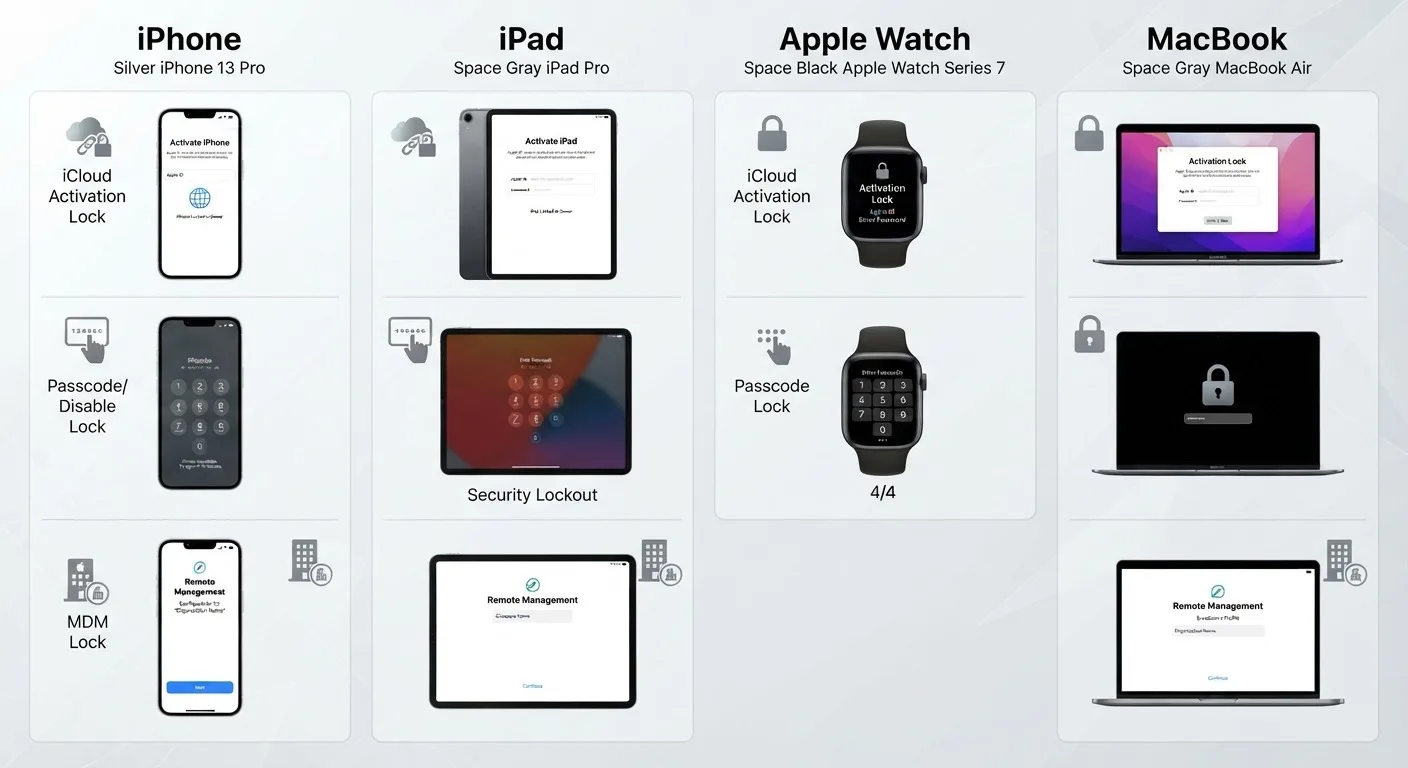
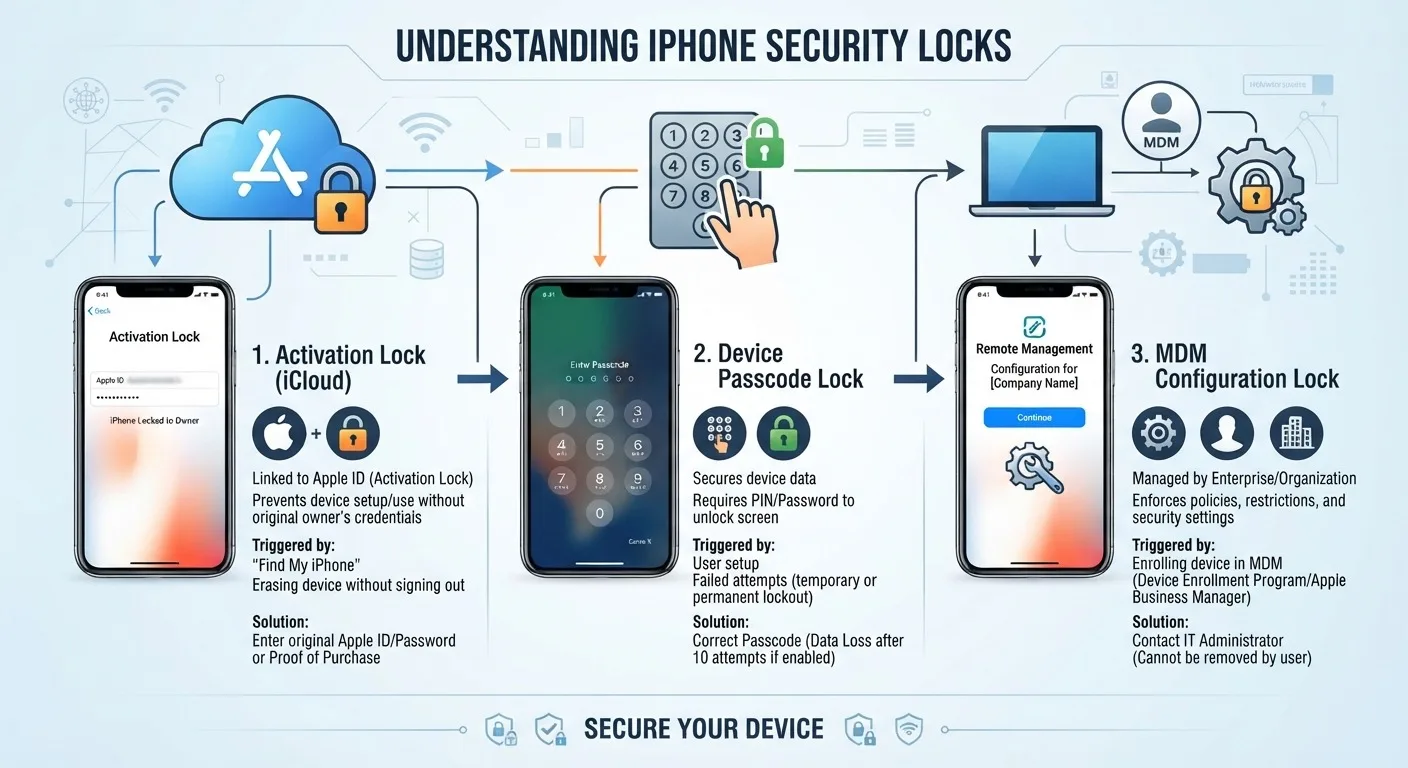
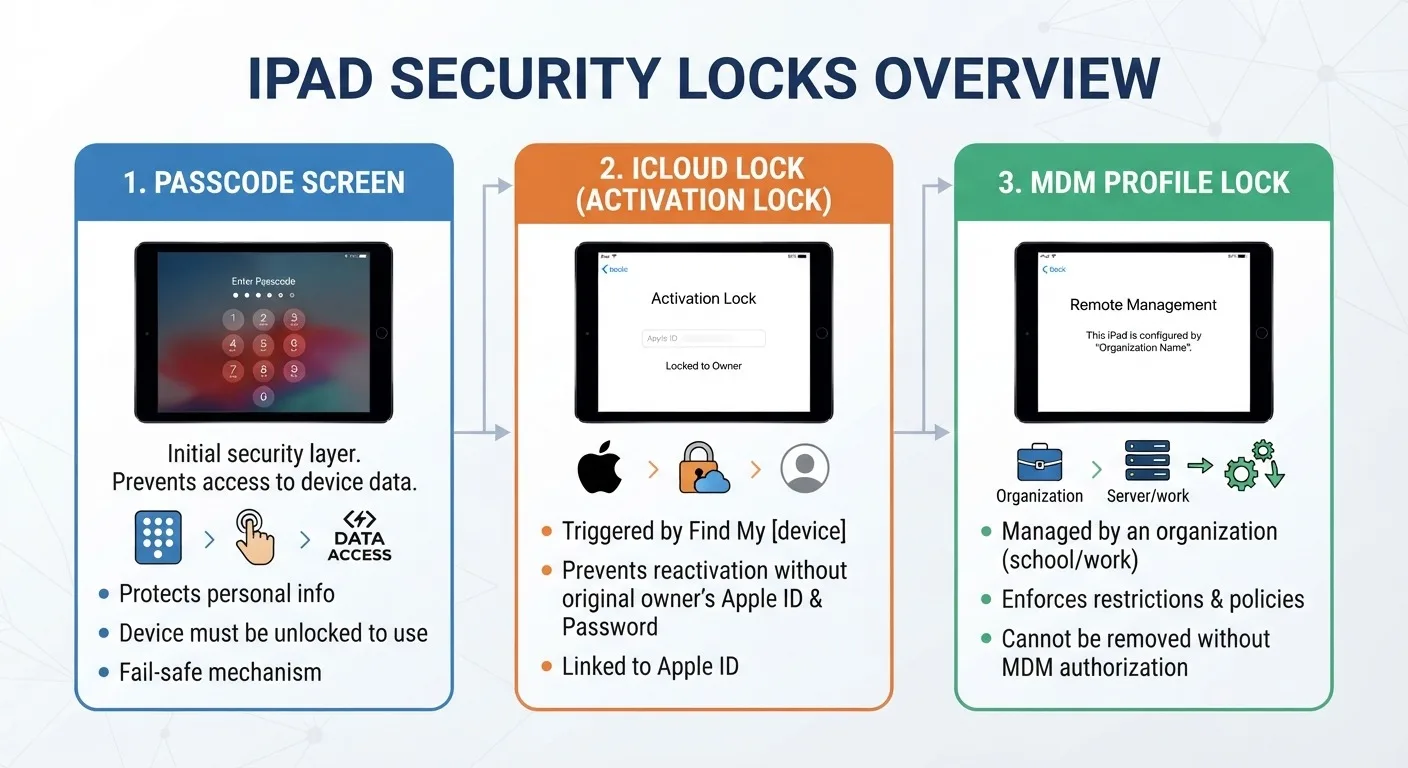
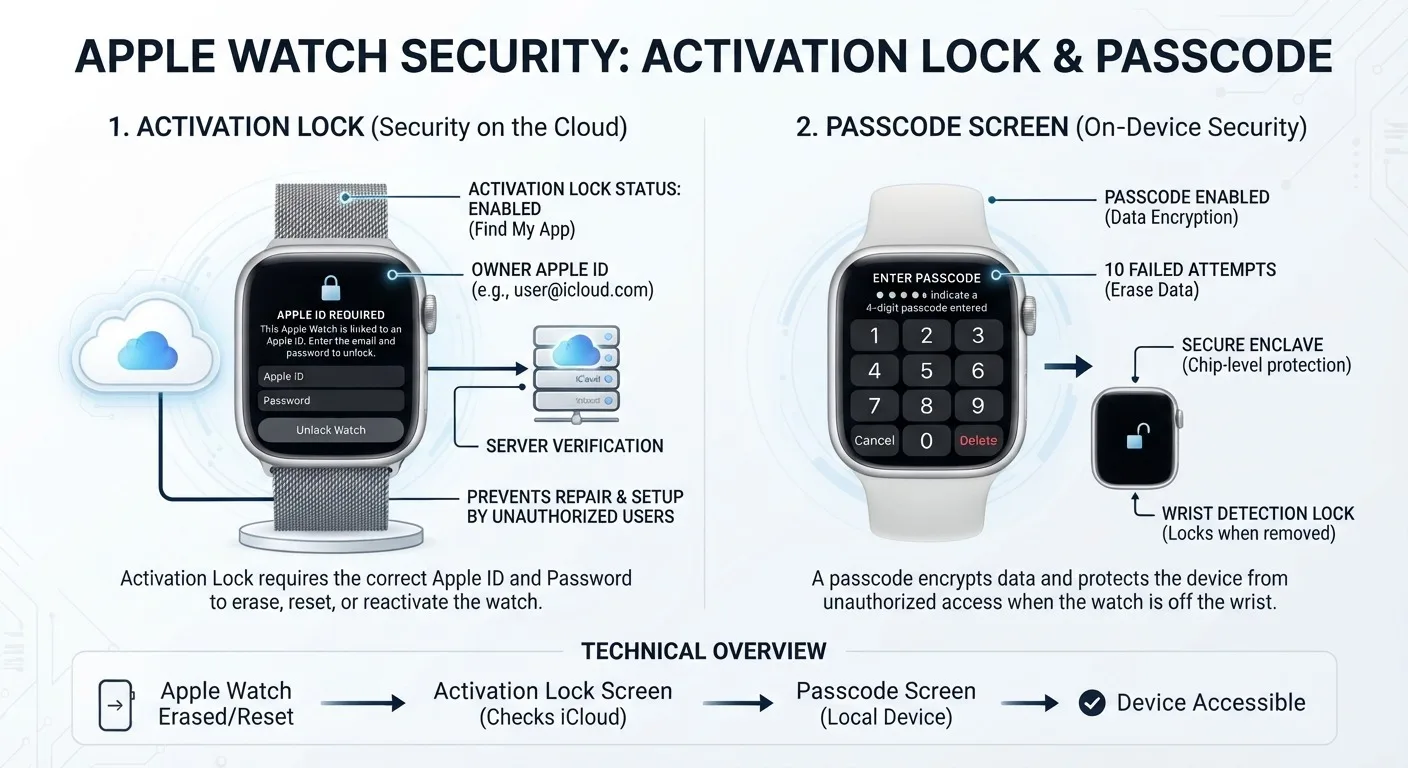
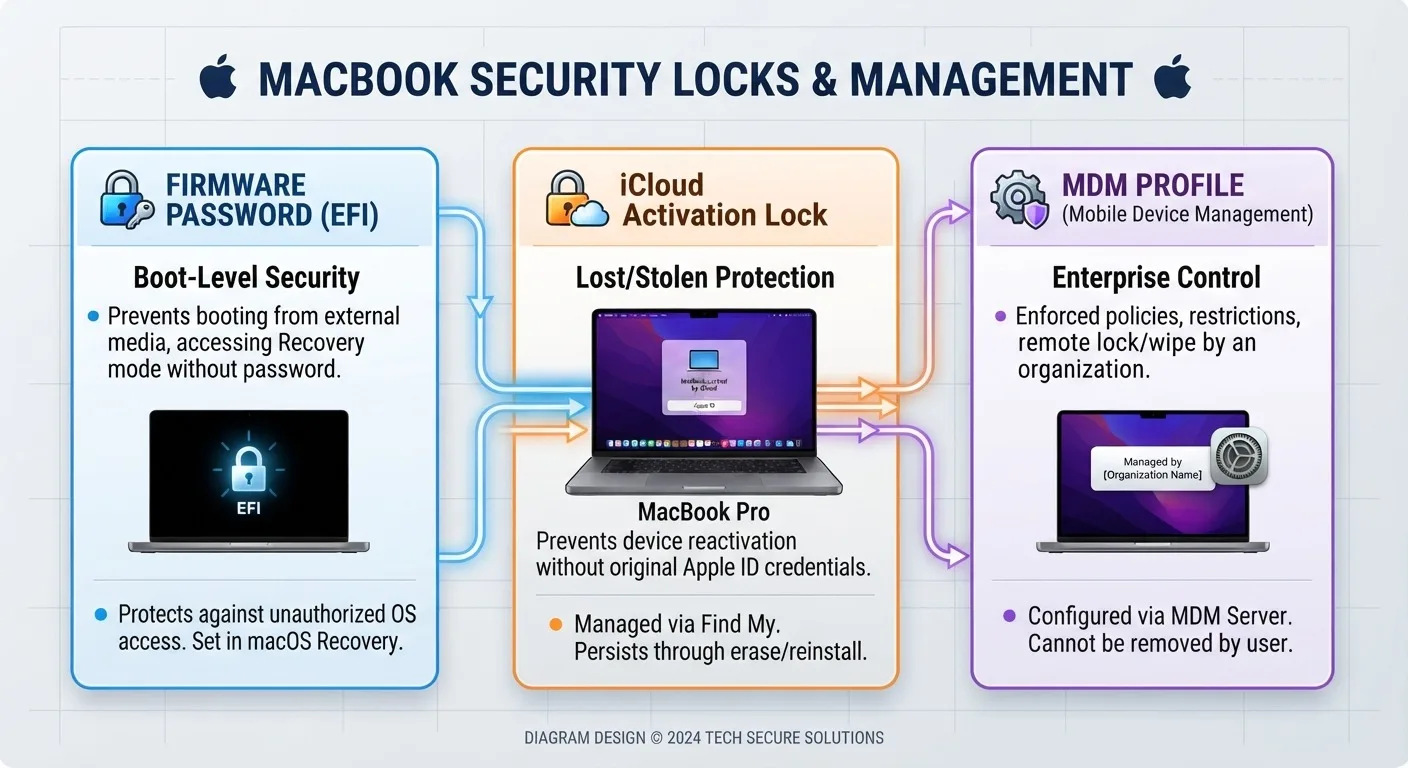
Bypassing Apple device locks by IMEI, SN, ECID or program code: iCloud Bypass - bypassing the activation screen (Hello / Activation Lock), Passcode Bypass - bypassing the passcode and the “Disabled” state, MDM - working with the management profile on iPhone, iPad and Mac. After registering the device, bypass is performed in the selected program. Supported models and system versions are indicated for each variation.
How to order:
1. Download the desired program, connect the device and check that it is supported
2. Select device, model, order type and program. For iPad, model number A... is located on the back cover
3. Copy the identifier specifically from the selected program: SN, ECID or Code. The ID type is indicated in the order field and in the option description
4. After payment, wait until registration is completed; the approximate period is indicated in the variation
5. Return to the program and follow its instructions
What you will need:
• computer with Windows or macOS - depending on the program
• Ramdisk services may require an RP2350 / Raspberry Pi Pico 2 or usbliter8 board; the requirement is specified in the option description
• high-quality USB cable and stable Internet connection
Order types:
• iCloud Bypass - bypass the Hello screen; if the network mode is not specified by the supplier, calls and SMS are not promised
• iCloud Bypass (No Signal) - bypass without a cellular network; Support for App Store, iCloud, FaceTime and notifications varies by application
• iCloud Bypass (With Signal) - bypass with the cellular network only for models and system versions specified in the option
• iCloud Hide (Open Menu) - hides the linked account if you have access to the menu; this is not a complete shutdown of Find My
• iCloud Bypass (Open Menu) - a service for a device with access to the menu; some programs accept Code instead of SN or ECID
• Passcode Bypass - bypass the password code; The network mode is determined by the specific service
• Passcode Bypass (With / No Signal) - options with or without a cellular network; Owner Info and other features are included only where indicated
• MDM (Mobile Device Management) - Bypass or remove corporate profile on a supported iPhone, iPad or Mac
• iCloud Disable (FMI OFF) - separate Find My disable services; Wi-Fi / GPS models and hardware identifiers need to be checked with the description
• EFI Unlock—removing the EFI password while saving or deleting data; these options are not interchangeable
• Owner Info - retrieve owner data without unlocking
Programs:
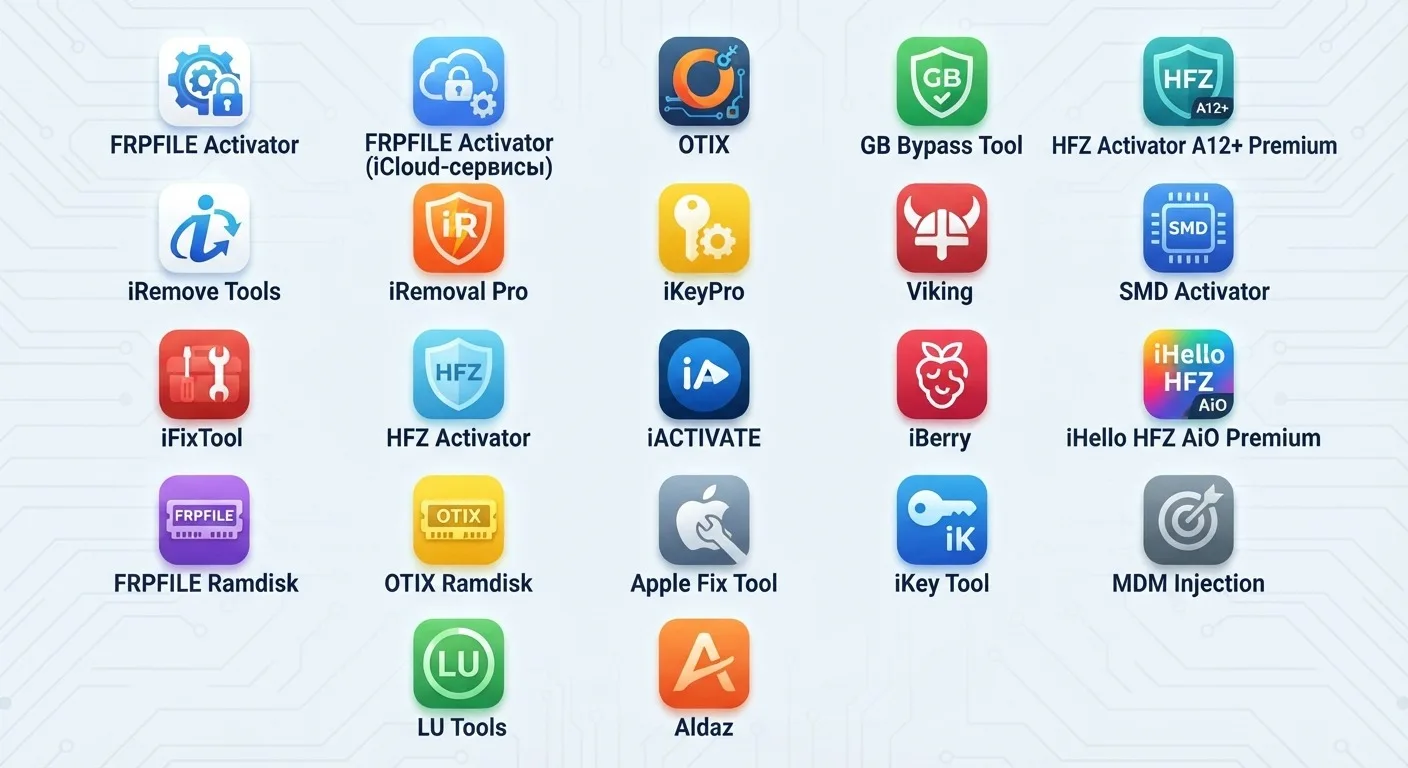
• FRPFILE - Activator, Ramdisk, Open Menu, MDM, A5-A6 and T2; Mac Open Menu requires Code, T2 Bypass requires ECID. For the With iCloud Service service, the name and detailed conditions of the provider differ: the operation of iCloud and notifications is not confirmed
• OTIX - Activator, Ramdisk, OPENMENU X, Open Menu (FMI OFF, without PC), iWatch and MDM Activator Pro; Open Menu by Code is different from hiding an account
• HFZ Activator - A5-A6, A12+ Premium, Master Legacy, Ramdisk, iCloud Hide, iWatch, T2 and MDM
• iHello HFZ AiO Premium - SN and ECID/Ramdisk registrations are separated; select the desired program and use the specified identifier
• iRemove Tools - services with and without network, MDM and EFI on Mac; Ramdisk via RP2350 is allocated as a separate program and accepts ECID
• iAPro - A5-A6, A12+, WiFi, Premium, Ramdisk, Open Menu, iWatch and T2; A regular MDM service has a limitation of iOS 9.0-26.6
• iKeyPro - Activator iOS 18.7.1-26.1 and MDM; iKeyTool - MDM up to iOS 26.x, iKeyTool ULTRA - MDM including iOS 27.x
• iBerry Universal / AllinOne A12-A13 - Hello without cellular network, Passcode with network preservation; ECID registration
• iBerry Removal - hide the current iCloud account with access to the menu (Open Menu, not FMI OFF), iPhone XR and newer, iPad up to M5, iOS 18.x-27.x; ECID registration
• UniTool - Hello without network and Passcode with network for specified A12 / A13 models, as well as iWatch
• Aladin - Ramdisk A12-A13 by ECID and separate MDM registration of iPhone by serial number
• LU-WiFi A12+ - separate service via SN; LU-WiFi V1.0 (A7-A11) - iPhone 6s-X, iOS 15-17.4.1, palera1n, ECID registration
• LPro Max / AIO / T2, LU Tools / T2 - various Hello, Passcode and Mac T2 services; ECID and SN are not interchangeable, check model support in the program
• iRemoval Pro - Charity Edition v5.2.1 backup services have a range of iOS 18.6-26.0.1
• SMD Activator, iFixTool, GB Bypass Tool, Nothing Bypass, Apple Fix Tool, Aldaz, iFixRamDisk, Flashcell, GSMCode.Pro, Vendetta, CTG, MDM Injection and Mina - conditions, identifier and restrictions, see the selected variation
IMPORTANT INFORMATION
• before ordering, make sure that the correct model, system version, program and registration type are selected
• some services do not provide for refunds even if there is an error; the conditions of the selected variation apply
• after Ramdisk bypass, certain device functions may be unavailable
• reset and update may require a repeat bypass; its availability and cost depend on the program
• bypassing activation does not restore access to the owner's Apple ID
• the service does not remove SIM-Lock and IMEI blocking in the black list
Additional information
iBerry Universal (Hello / Passcode) - developer package for bypassing activation and password code; separate service from Open Menu Hide
iBerry Removal (Open Menu) - current 3gsm supplier link, ECID registration
frpfile.com - FRPFILE Activator and Ramdisk
otix.tools - OTIX Tools and OTIX Ramdisk
iremove.tools – iRemove Tools
HFZ ACTIVATOR TOOLS (MEGA) - all HFZ programs: Activator A5 / A6, A12 / A13 Ramdisk, A12 Premium, Master Legacy, iCloud Hide, MDM, iWatch and T2; official website hfz-unlocker.com/SN/, group t.me/Hfzactivator
gbbypasstool.com - GB Bypass Tool
iHello-HFZ-AIO-Premium - included in the HFZ ACTIVATOR TOOLS (MEGA) package
iremovalpro.com – iRemoval Pro
bysmd.com - SMD Activator Pro (macOS)
ikeypro.com - iKeyPro A12 Activator and MDM Bypass
ifix.tools - iFixTool (iFix Activator): A12, Mac T2, MDM, Open Menu, Ramdisk
nothingtool.com - Nothing Bypass (Windows)
ikeytools.com - iKey Tool: iKey Prime (bypass activation) and iKey MDM
iactivate.host - iACTIVATE (MDM profile removal)
ialdaz-activator.com - Aldaz Activator (Mac T2 and A12), t.me/aldazdev - channel
legitunlocks.com - LegitUnlocks (LU): LU Tools, LU-WiFi, LU T2 and LPro Max / AIO / T2
Apple Fix Tool Ramdisk - bypass A12 / A13 password (ECID from the program, DFU)
MDM Injection (Windows, MDM archive password) - removing MDM, requires iTunes
If the device has already been bypassed and accidentally reset, connect it to your computer and reactivate it using the same ID. We are not responsible for your actions and for the status of program servers.
Similar
-
Apple device check by IMEI / SN
$ 0.15 18.25Price range: $ 0.15 – $ 18.25 Select options This product has several variations. Options can be selected on the product page. -

HONOR Google Account (FRP) unlock
$ 33.85 50.7Price range: $ 33.85 – $ 50.7 Select options This product has several variations. Options can be selected on the product page. -

Telegram Stars / Premium
$ 1.25 38.2Price range: $ 1.25 – $ 38.2 Select options This product has several variations. Options can be selected on the product page. -

Tecno / Infinix / Itel ID / MDM unlock
$ 2 37.1Price range: $ 2 – $ 37.1 Select options This product has several variations. Options can be selected on the product page.